
Every landscape photographer knows the magic of standing in front of a breathtaking view, but translating that moment into a finished photograph often requires editing.
For beginners, editing can feel intimidating; too many sliders, too many choices, and the constant worry of “am I doing this right?” That’s where AI tools like ChatGPT step in.
In this post, we’ll explore the best ChatGPT/AI photo editing prompts for landscape photography, explain how to use them effectively, and even share 25 free prompt ideas you can try today.
I receive commissions from links in this post, thank you for your support
What Is an AI or ChatGPT Prompt?
Before diving into examples, let’s start with the basics. A ChatGPT prompt is simply the instruction or request you type into ChatGPT to get a response.
Think of it as telling a guide what you need. For photography, prompts can range from asking for editing tips (“How can I bring out detail in my sky without blowing out highlights?”) to generating ready-to-use Lightroom or Photoshop workflows.
The better your prompt, the more useful and specific the advice you’ll receive. Prompts turn vague questions into actionable steps.

Discover Your Next Journey – These Tours are designed for people who connect with light and landscape.
Can You Use ChatGPT to Edit Photos?
Here’s a key distinction: ChatGPT itself doesn’t directly edit your images the way Lightroom or Photoshop does. Instead, it acts as your personal assistant, giving you tailored editing advice, workflows, and even step-by-step instructions.
For example, you could ask:
- “How do I make my landscape photo look moodier in Lightroom?”
- “What’s the best way to balance highlights and shadows in a high-contrast sunset?”
- “How do I create a cinematic look for a mountain landscape?”
- “What edits do I need to do to make my image in style XYZ or look like ABC?”
ChatGPT becomes your coach, guiding you through the editing process and helping you see new possibilities. Think of it as sitting next to an experienced editor, giving you suggestions while you remain in full creative control.

What to Write on ChatGPT for Photo Editing
If you’re new to AI, you might wonder: what exactly do I type in? The key is to be specific. Instead of saying, “How do I edit my photo?” try framing your prompt like this:
- Mention the subject: “forest in fog,” “desert sunset,” “snowy mountain.”
- Mention the goal: “make it moodier,” “enhance warm tones,” “highlight reflections.”
- Mention the tool: Lightroom, Photoshop, Capture One, or general editing advice.
A strong prompt might look like this:
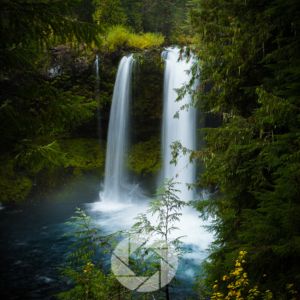
“I have a photo of a waterfall on a cloudy day. How can I edit it in Lightroom to emphasize mood, deepen the greens, and keep the water soft without losing detail?”
📸Learn for free!
➡️ FREE Wallpapers and Guides
➡️ DISCOUNTS on future Tours & Tutorials
➡️ TIPS for improving Your photography

You can unsubscribe at anytime.
ChatGPT Photo Editing Prompts for Landscape Photography Free
Now let’s get practical. Below are 25 free prompts you can copy and paste into AI such as ChatGPT. I’ve grouped them into themes so you can experiment with editing based on mood, season, or creative style.
Enhancement Prompts
- “Step-by-step Lightroom workflow for bringing out detail in a cloudy mountain photo.”
- “How can I increase clarity in a desert landscape without oversharpening?”
- “Suggest Lightroom edits to make fall colors more vibrant but natural.”
Mood & Atmosphere Prompts
- “Create a moody, dramatic edit for a foggy forest photo in Photoshop.”
- “What’s the best way to add golden hour warmth to a coastal scene?”
- “How do I edit a night sky photo to emphasize depth without making it look fake?”
Light & Color Prompts
- “Adjust tones to make a sunrise landscape look more cinematic.”
- “Best Lightroom settings to balance highlights and shadows in a high-contrast canyon photo.”
- “How do I use split toning for a snow-covered mountain scene?”
Surreal & Creative Prompts
- “Suggest edits for a dreamy, painterly look in a desert photo.”
- “How do I create an ethereal, soft-focus effect in a waterfall image?”
- “Give me Photoshop steps for making a reflection shot look surreal.”
Black & White Prompts
- “Convert a forest scene into black and white with strong contrast.”
- “How do I make a black and white mountain photo feel dramatic?”
- “What’s the best way to emphasize texture in a black and white desert shot?”
These photo editing prompts for landscape photography are free, simple to try, and endlessly customizable. The more you experiment, the more you’ll learn what resonates with your style.
ChatGPT Photography: Beyond Editing
ChatGPT isn’t just useful for editing advice. You can use it to generate:
- Location-based shot lists (“What are the best photography ideas in Sedona in winter?”)
- Composition exercises to practice in the field.
- Explanations of technical concepts like histograms, white balance, or dynamic range.
- Creative challenges (“Give me 5 photo assignments to try in my backyard this week”).
This makes AI and ChatGPT for photographers a versatile tool; part mentor, part brainstorming partner, part teacher.
AI and ChatGPT for Photographers: Expanding Creativity
Editing is just one piece of the puzzle. Many photographers use ChatGPT for learning new techniques, preparing checklists before a shoot, or even finding inspiration when feeling uninspired.
If you’re stuck in a rut, asking for creative prompts for editing outdoor photography can push you into new territory.
The point isn’t to replace your vision but to support it; like having a sounding board available 24/7.
Seasonal and Elemental Inspiration in AI Editing
Just as landscapes shift with the seasons, your editing choices can reflect cycles of light and change. A winter edit might lean toward muted tones, soft blues, and gentle contrast. A summer edit could embrace warmth, fire-like sunsets, and saturated skies.
Through the lens of the four elements:
- Earth: Enhance natural textures in rock, soil, or tree bark.
- Air: Add atmosphere with haze, clouds, or softened highlights.
- Fire: Emphasize warmth in golden hour light, or dramatic shadows.
- Water: Use polarizing edits to deepen reflections and smooth surfaces.
AI prompts simply give you a language to bring these elemental stories into your images. The editing process becomes less about sliders and more about aligning with the mood of the land.
Conclusion
AI tools like ChatGPT are opening new doors for photographers. With the right guidance, you can turn a confusing editing session into a creative adventure.
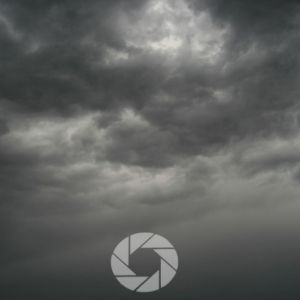
Whether you want to add drama to a stormy sky, emphasize the warmth of a desert sunset, or create a timeless black and white image, prompts give you a roadmap.
The beauty of using the best ChatGPT/AI photo editing prompts for landscape photography is that they lower the barrier for beginners while giving experienced photographers new ways to experiment. Editing becomes less about guesswork and more about storytelling; revealing the spirit of the land in each frame.
If you’d like to go deeper into these techniques in real landscapes, my landscape photography workshops are designed to blend technical learning with seasonal and elemental inspiration. Together, we’ll not only capture the land but also learn how to honor its mood through thoughtful editing.
📸Learn for free!
➡️ FREE Wallpapers and Guides
➡️ DISCOUNTS on future Tours & Tutorials
➡️ TIPS for improving Your photography
You can unsubscribe at anytime.
- What Is an AI or ChatGPT Prompt?
- Can You Use ChatGPT to Edit Photos?
- What to Write on ChatGPT for Photo Editing
- ChatGPT Photo Editing Prompts for Landscape Photography Free
- ChatGPT Photography: Beyond Editing
- AI and ChatGPT for Photographers: Expanding Creativity
- Seasonal and Elemental Inspiration in AI Editing
- Conclusion
- 📸Learn for free!
- 📸Learn for free!